How to Play Carry the Glass Together on Mobile
Touch controls, mixed-platform duos, and the habits that stop a thumb from shattering the pane.
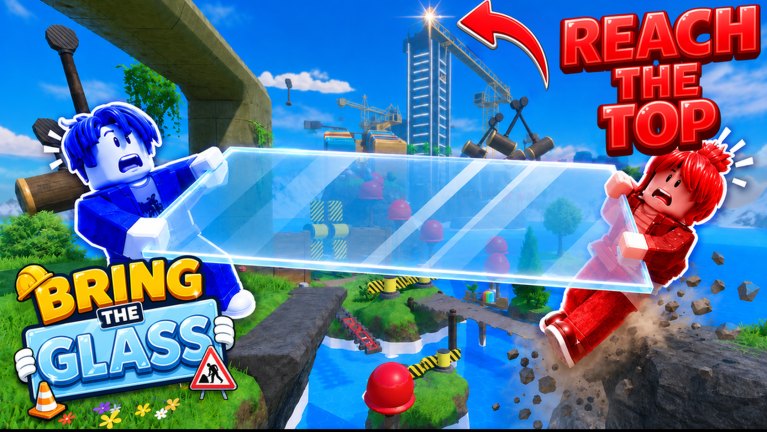
Carry the Glass Together is playable on phone and tablet. The Roblox listing says so, and plenty of duos queue with one person on a sofa TV and the other on a bus. This page is the mobile session, not a copy of controls. If you have never picked up the pane, start with Getting Started and come back here before the first water gap.
Touch is worse at precision and better at “I can play right now”. The glass does not care which is true. A drifting jump button will still yank the pane into a striped beam. Treat the phone as a second class of input, not as a smaller PC.
What the thumbs actually do
Left thumb moves. Right thumb jumps. Camera drag is a third job that should happen between obstacles, never during a counted Jump. If you try to pan the camera while the leader is saying three-two-one, you will walk a half-step off the plank.
Roblox dynamic thumbstick is convenient until the jump button slides. If your build lets you lock the jump control, lock it in the lobby statue circle — not over water. Lower look sensitivity until you can track a swinging hammer without flicking 90 degrees. High sensitivity on a 6-inch screen is how people yaw the pane into a cone they were not aiming at.
Stand closer than a keyboard duo. Thumb overshoot stretches the glass. The how to protect the glass guide ranks stretch as the first shatter cause; mobile makes it cheaper to cause and harder to notice.
The five mobile rules
- No sprint on wood. The on-screen sprint is a smash. Lift both thumbs off boost on planks, hammers, and the concrete overpass.
- Lock jump before you climb. A drifting jump glyph is a late Jump. Late Jump is water.
- Do not wiki on the same screen. Opening this page mid-hold is a menu shatter. Keep the callout sheet on a second device or memorize Wait, Walk, Jump, Hold.
- Announce lag. Mobile radios hitch. Say “lag” before you walk a hammer cycle, not after the pane is gone.
- Sit down for the gantry. The hammer gauntlet is a wait-and-walk. A bouncing bus ride is not a wait-and-walk. Bank a checkpoint and wait until the vehicle stops.
If you only keep rule 1 and rule 4, your shatter count drops. The rest is comfort.
Mixed-platform: phone plus PC or console
The common queue is a PC friend who “has better timing” and a mobile friend who “can play now”. Let the tighter input lead the count. That is usually PC or a console on a monitor. The phone player follows and calls lag. Do not argue about pride; argue about input delay. Details for TVs sit on console support.
If both of you are on phones, pick the person with the larger screen and a stable Wi-Fi as leader. Two cellular connections plus a hammer cycle is a coin flip. Favorite the experience so a disconnect can rejoin the same place ID — see official links.
Voice should not share the play speaker. Earbuds beat a phone blasting Roblox audio into a voice call. Delayed counts shatter glass as surely as a mallet.
First ten minutes on touch
Spawn at the statue. Do not pick up the pane until both of you can see each other. Walk the grass in a short stance. Do three counted jumps on the first plank. Bank the first hard-hat checkpoint. Stop. That is a complete mobile lesson. The tower can wait until your thumbs know where jump lives.
If the pane snaps on flowers, you stretched. Reset, close the gap, try again. Recording a funny shatter is fine; recording five in a row on D-tier grass is a session checklist failure.
What not to copy from YouTube
Search will show Steam Carry The Glass (scroll-wheel lift, mouse tilt) and Don’t Shatter (street delivery, paid revives). Those are other products. We do not embed them here. Learn the HUD in this Roblox build. If a bind appears on-screen, trust that tooltip over a Steam video. The disambiguation lives on not the Steam game.
Do not install a “mobile auto-jump” script. A tap that fires when your partner jumps will desync on hitchy radios and then look like a hammer fail.
After the first checkpoint
Look at the hammer gantry from a safe slab. If your thumbs are already tired, leave on a win and come back. Tomorrow, read how to beat at a desk, not on the same glass you are holding. Mobile is a way to show up. It is not an excuse to skip Wait.
When a patch changes touch UI, updates will say so. Until then, the upgrade is still a spoken Hold and a shorter stance.
Frequently Asked Questions
Quick answers for duos who keep shattering the pane.
Can I finish the climb on a phone?
Yes. The listing supports phone and tablet. Use a short stance and let the tighter input lead mixed duos. See controls.
Why does jump feel late?
Dynamic thumbstick drift, radio hitch, or looking around during the count. Lock jump in the lobby and say lag before the hammer gauntlet.
Should two phones share a leader?
Pick the stable Wi-Fi and the larger screen as leader. Two cellular connections should not call Now on a mallet.
Do Steam tilt videos apply?
No. Different game. Read not the Steam game and this Roblox HUD.